Sidekick Docker
Your Docker dashboard, everywhere.




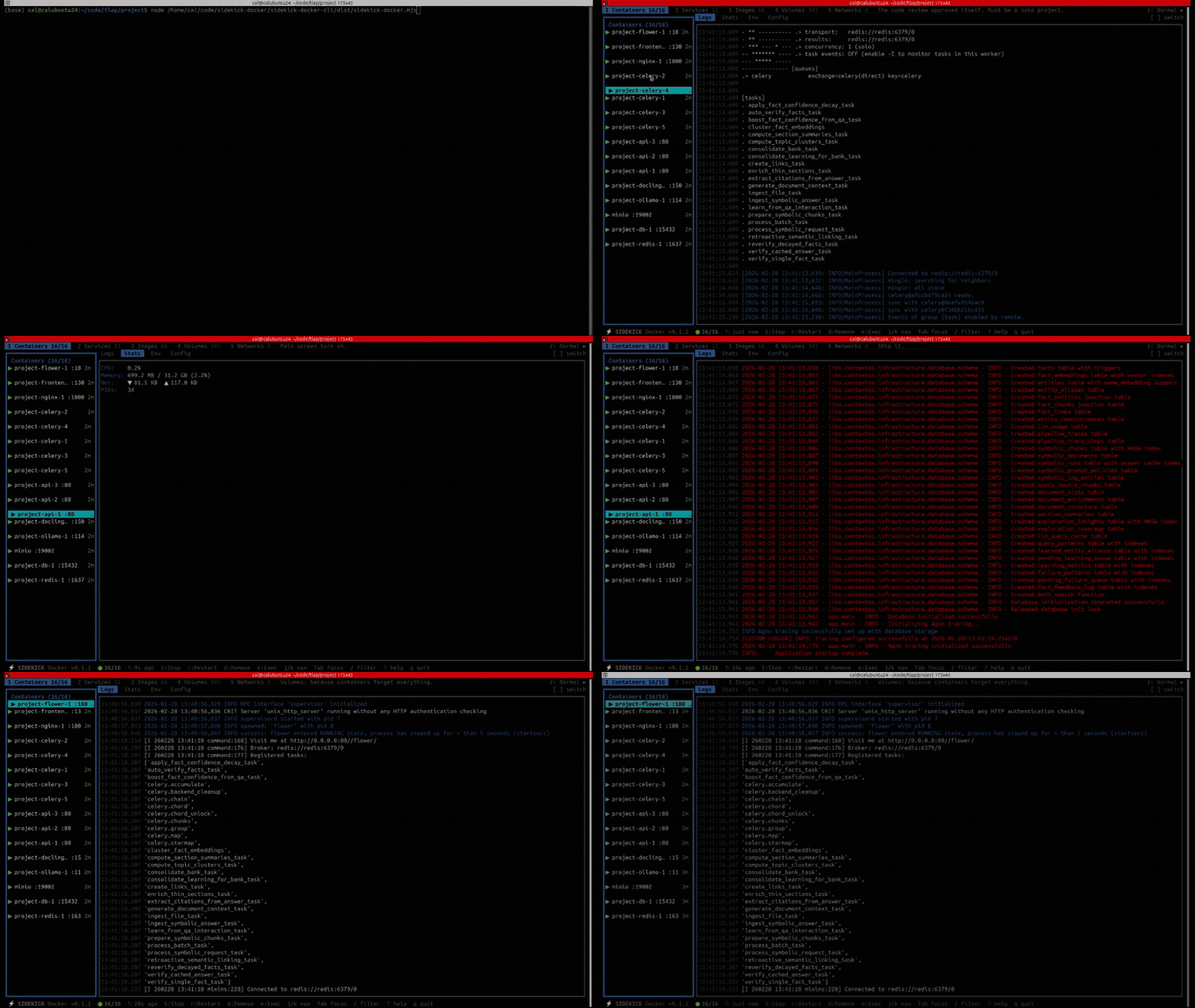
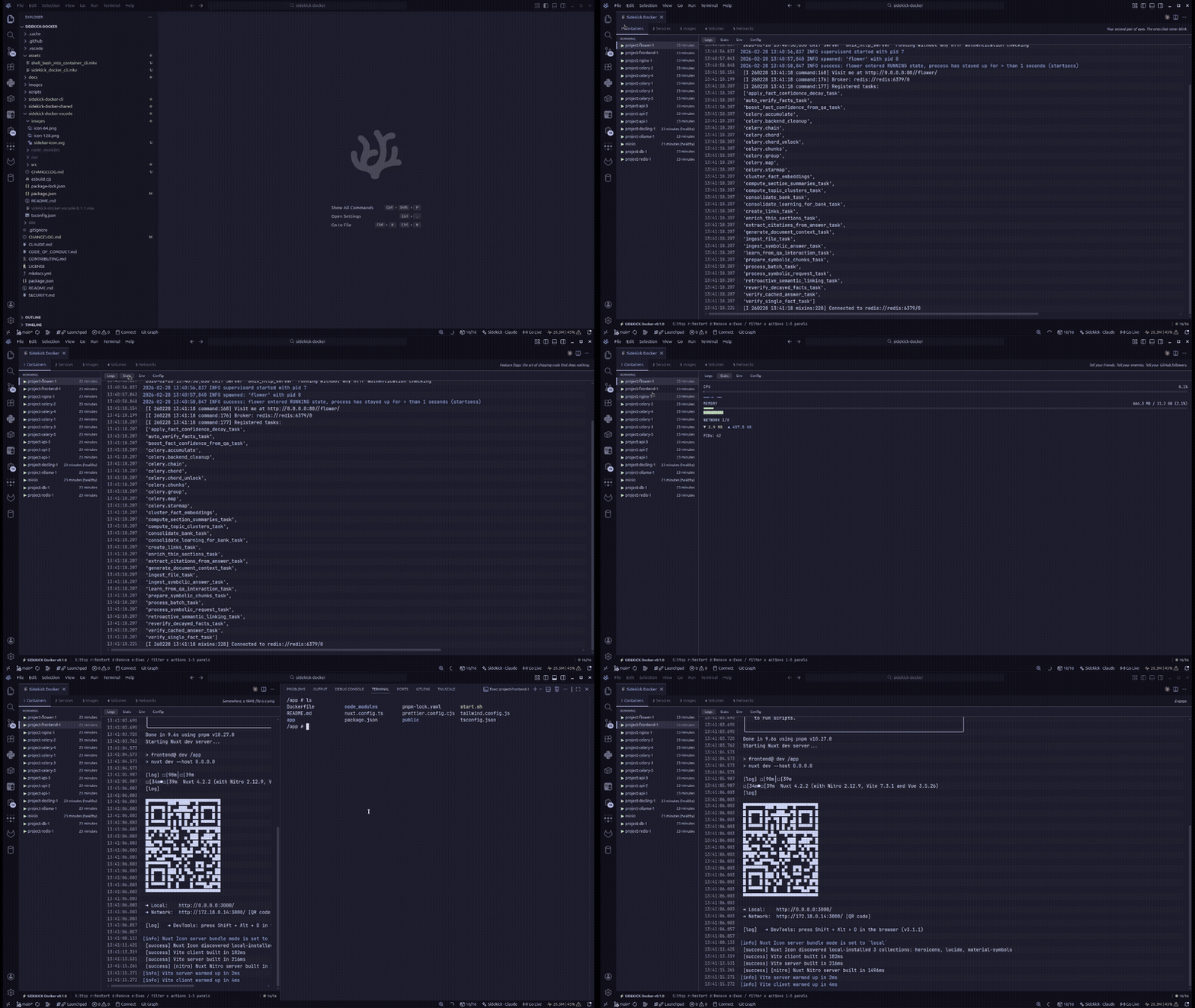
A full-featured Docker management dashboard that runs in your terminal and in VS Code. Manage containers, Compose projects, images, volumes, and networks from a real-time, keyboard-driven interface.
Feature Highlights
- Five-panel dashboard — Containers, Compose Services, Images, Volumes, Networks
- Real-time streaming — logs, stats sparklines, and Docker events update live
- Smart log highlighting — token-level syntax coloring for HTTP methods, status codes, URLs, IPs, timestamps, JSON keys, and more
- Log search & filter — search within log output with exact or fuzzy matching and match highlighting
- Log analytics — severity counts, severity sparkline over time, and pattern clustering that groups similar logs into templates
- Vi keybindings —
j/knavigation,g/Gjump,1-5panel switching - Compose support — automatic project detection, per-project actions
- Interactive exec — shell into running containers without leaving the dashboard
- Filter & search —
/to filter any resource list - Mouse support — click to select, scroll to navigate
- VS Code extension — the same dashboard, embedded as a webview panel (works in VS Code, VSCodium, and compatible editors)
Quick Install
Terminal (TUI)
VS Code / VSCodium / Compatible Editors
Install the Sidekick Docker extension from Open VSX or the VS Code Marketplace, then run Sidekick Docker: Open Dashboard from the command palette.
See Also
Sidekick Agent Hub — Multi-provider AI coding agent monitor. Real-time visibility into Claude Code, OpenCode, and Codex CLI sessions with token tracking, context management, and session intelligence. Available as a TUI on npm and as a VS Code extension on the Marketplace and Open VSX.
Next Steps
- Installation — all install methods
- Quick Start — first-run walkthrough
- Keybindings — full keyboard reference
- Architecture — how it all fits together